


 Next key in 12m





Puzzle
Merge Boat
Merge boats, grow your fleet
Your game time pays you back. Playbucks is the rewards app that turns playing games into real cash you can send straight to PayPal.

Example screens. Amounts vary.
How it works
Three moves from your first level to your first chest.
01
Pick a game and play the way you always do. Playbucks stack up while you play.
02
Keys arrive over time and from quests. Collect them to open the chest.
03
Tap it open and your playbucks turn into cash, added to My Cash right away.
What a chest holds depends on how much you play. Amounts vary.
Cash out
Your first cash-out has no minimum: open a chest and send it. After that, cash out whenever you have $5 or more.

Example screens. Amounts vary.
The games
Puzzle, word, arcade, idle. Play one or play them all: every game you link fills the same chest.
Puzzle
Merge boats, grow your fleet
Puzzle
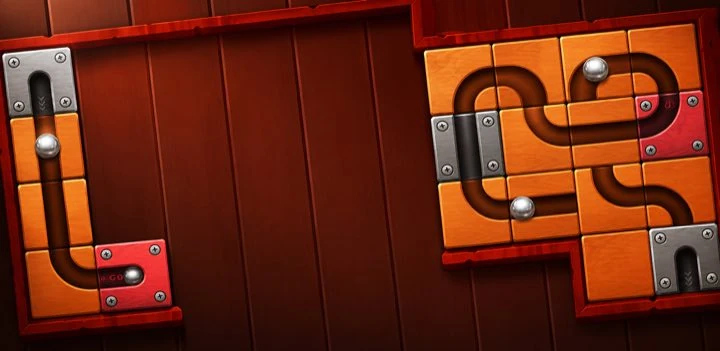
Slide tiles, roll the marble
Word
Find words around the world


Puzzle
Connect juicy fruit chains
Puzzle
Join every pair, fill the grid

Puzzle
Tap arrows, find the way out

Puzzle
Pour, sort, collect flacons


Puzzle
Slide, throw, clear the ice
Puzzle
Classic mahjong solitaire
Puzzle
Match pairs, clear the board
Puzzle
Light the lantern festival
Puzzle
Merge Boat
Puzzle
Sliding Marble
Word
Word Atlas
Puzzle
Golden Grove
Puzzle
Pairfect
Puzzle
Arrows Go!
Puzzle
Atelier: Water Sort
Puzzle
Snowcap Crew
Puzzle
Tea & Tiles
Puzzle
Numbly
Puzzle
Block Lantern
Earning power
Start at double, finish quests, keep your streak and level up: each one adds to what you earn.
Earning power
The Welcome Bonus: 2× earnings for your first 7 days, with no limits whatsoever.
Earning power
Finish quests in the games you play for bonus playbucks, plus keys that open your next chest sooner.
Earning power
Play and earn every day to keep your streak going. The longer it runs, the more every chest pays and the faster your keys come.
Earning power
Playing earns XP, and every level brings a reward. The biggest ones make every chest pay more, for good.
Friends
Invite your friends and get 10% of what their chests pay, for as long as they play. It’s a bonus from us.

Your first chest is waiting.
Questions
Yes. Playbucks is free to download and free to play, and you never have to buy anything to earn rewards or to cash out.
It depends on how much you play, and it varies. Think of it as a little extra for games you would play anyway, not a wage. We do not promise an amount.
From the Rewards tab, straight to your PayPal. Your first cash-out has no minimum. After that, the minimum is $5, and the app shows how much you can cash out each day.
Right away: the cash goes to PayPal as soon as you tap Cash out. Now and then we may hold a cash-out while we review an account, as our terms explain.
No. You can start as a guest. To cash out, you save your account with Google, an email address, or Apple on iPhone. We use it to sign you in, keep your progress and pay you.
Anyone 18 or older in the United States.
In the app, open Settings and tap Delete account. You can also write to hello@playbucks.app from the email address on your account. What is deleted and what is kept is on the Delete your account page.